— — — —— — —
×
— —— —
Hey there! :)
Firstly, this site is amazing, this sugestion is just for making it better, on my point of view.
So, I would like to sugest a little change on the properties of the profile page, specifically on the profile banner. I've made what I think it's better (what I think would make the profile page more beautiful), and here it is:
Original:

What I don't like in it: that blue bar on the top doesn't make sense to me, the shadow on the banner is too high and opaque and the section where there are the links and stuff is also too opaque.
My sugestion:


p.s: hey Studio, how ya' doing?
You can see that on @Studio's profile the text is a little bit hard to read, but it's visible and, if you are having trouble reading it, it'll become full opaque if you put your mouse over it (it's already like this on the original site, so why not make the profile banner more visible?).
Disclaimer: The user on the print screen (Studio) is here just as an example and this thread is not saying he supports any of the ideas/sugestions on it.
Finally, here's the properties I edited for making it like this:
Shadow:
linear-gradient(180deg,rgba(var(--color-shadow-dark),0) 95%,rgba(var(--color-shadow-dark),.15))Profile bar:
rgba(22,28,38,.1)Blue bar:
width: 0px
You can see I edited only simple properties to obtain this (imo) wonderful result.
I really would like to listen to the opinion of the other users of the site too. Since now, thanks everyone.
The bar was one of the reasons I had to remake or change my banner several times because I never took into account of the bar so it always ended up blocking the faces/eyes etc.
(Still making some improvements..)
I think a nice idea would be to allow the owner of the profile page to adjust how transparent it is for visitors. Of course, this is would be a little unnecessary and/or tedious for the web developers to add this in.
Though, I do like your idea. ^^
[Removed]
I just quickly changed it back to one of my older ones as an example.

Three of the character's faces were cut off since most of the artworks were aligned as portrait orientation. Though, for some odd reason I've grown to dislike it so I guess changing wasn't so bad. Ended up going for something more simplistic and less likely to get obstructed by the bar/shadow.
Enough about me and my banner, I can totally see why they have it like that. It feels more consistent around the site.
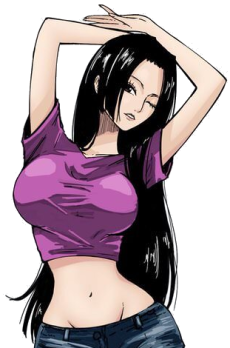
I, personally, never have this problem..... A lot of original AniListers are accustomed to just using @Kuwabara's My Little Anilist Theme Can't Be This Cute userstyle. Hopefully this helps in the interim until you get some answers from a mod ^^ OR maybe you can use this userstyle and ask him to implement that navbar style in the customization options.

Looks Good! ♥ (didn't want to put the sidebar in there since mine is yellow and it throws off the look haha)

Without the shadow you can't see people's usernames with white banners, but ofc there are other things you can do to make them visible and not have a shadow, like Erwin did to his userstyle

Here with hoh's userstyle changes you can barely see it

